UX
UI
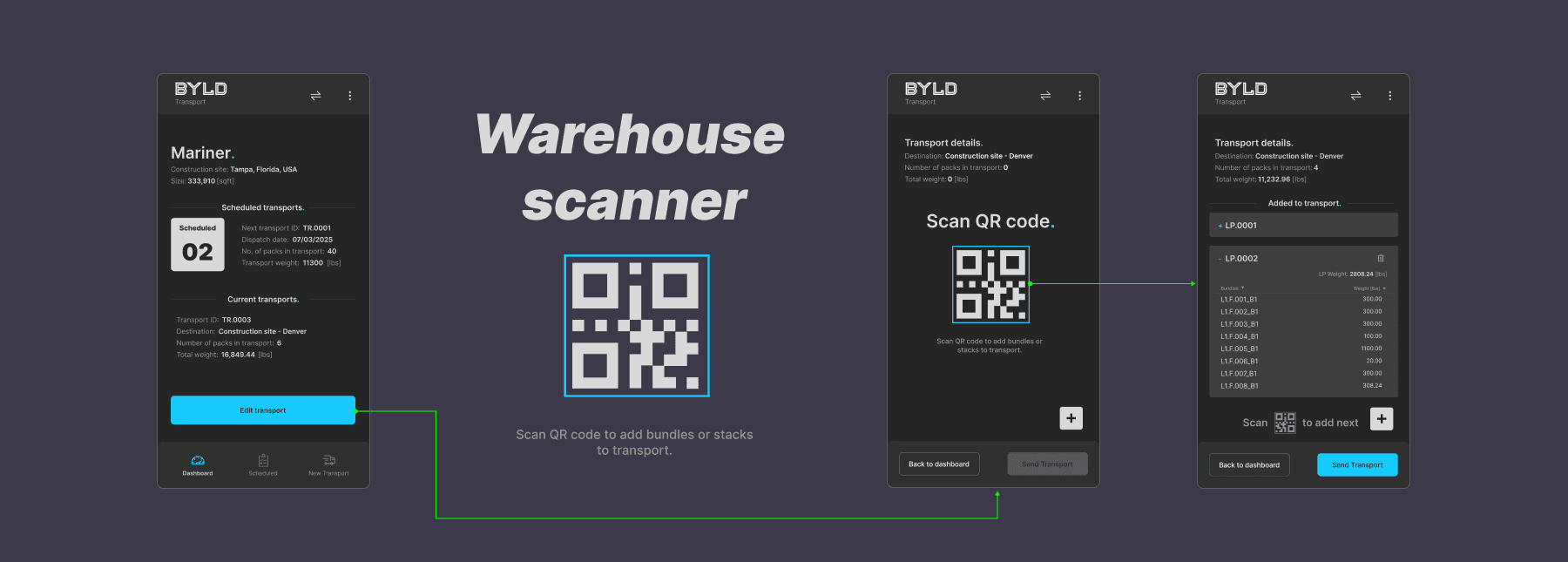
Warehouse Scanner Application
Logistic system
My role
User interviews and research
Insight synthesis and problem definition
UX strategy and user flows
Wireframing and high-fidelity UI design
Developer collaboration and design QA
Testing and iteration
Timeline
A four-month end-to-end process, from user research and wireframing through design, implementation, testing, iterations and content preparation.
Overview
BYLD Scanner is a dedicated warehouse application designed to support bundling, palletisation, and transport preparation for prefabricated construction elements within the BYLD ecosystem.
The app was developed in two phases. In the first phase, it was used internally by a BYLD subsidiary, which allowed for extensive real-world testing, rapid iteration, and continuous feedback from warehouse teams. In the second phase, the product is being prepared for external contractors working with BYLD technology.
The solution works as an independent scanner-based application, tightly integrated with the main BYLD production and logistics platform, and optimised for handheld warehouse devices.
The Problem
The initial concept assumed that transport planning and bundling decisions would be predefined at the platform level by logistics managers. Warehouse teams were expected to execute pre-built transport lists.
Early prototype testing revealed a mismatch between this assumption and real warehouse workflows:
Production output varied daily, often requiring on-the-spot decisions
Warehouse managers needed flexibility to decide what gets bundled, when, and how
Static transport lists quickly became outdated
Existing flows created friction, manual corrections, and delays
The system optimised for planning accuracy rather than operational reality.
Research & Insights
Thanks to internal rollout, the team conducted continuous qualitative testing directly on the warehouse floor.
Key insights included:
Bundling decisions are best made closest to the physical goods
Warehouse leads think in terms of physical pallets, not abstract transport lists
QR-based flows significantly reduce cognitive load in noisy, time-critical environments
Error prevention and confirmation states are critical due to high cost of mistakes
Operators need to work in both planned and ad-hoc transport modes
These findings led to a fundamental shift in product direction.
Reframing the Problem
Instead of forcing warehouse teams to follow predefined logistics plans, the system needed to:
Enable warehouse managers to actively decide how produced elements are bundled
Automatically group production outputs into logical bundles
Support real-time pallet creation with printed QR codes
Allow transports to be built incrementally from scanned pallets
Operate independently, yet remain fully synchronised with the core BYLD platform
Product & UX Strategy
1. Warehouse-driven bundling
The responsibility for creating bundles was shifted to warehouse teams. The system automatically groups produced elements, while users confirm, adjust, or split bundles based on real conditions.
2. QR-first interaction model
All key objects — bundles, pallets, logistic packs, and transports — are identified and managed through QR codes, enabling fast, low-friction scanning workflows.
3. Independent scanner application
The app was designed as a standalone tool optimised for handheld scanners, while remaining fully integrated with BYLD’s production and logistics backend.
Dual operating modes
The application supports:
Executing predefined transports created in the platform
Creating transports independently, directly from warehouse operations
5. Error prevention over speed
Clear confirmation dialogs, warning states, and snackbars were prioritised to minimise costly operational mistakes.
Design Process
Early flows tested directly with warehouse teams
Rapid iteration cycles based on daily operational feedback
Progressive refinement of confirmation states and error handling
Close collaboration with backend and hardware teams
Final UI optimised for scanner ergonomics, low light, and quick readability
The design process focused less on idealised flows and more on real-world edge cases.
Bundling
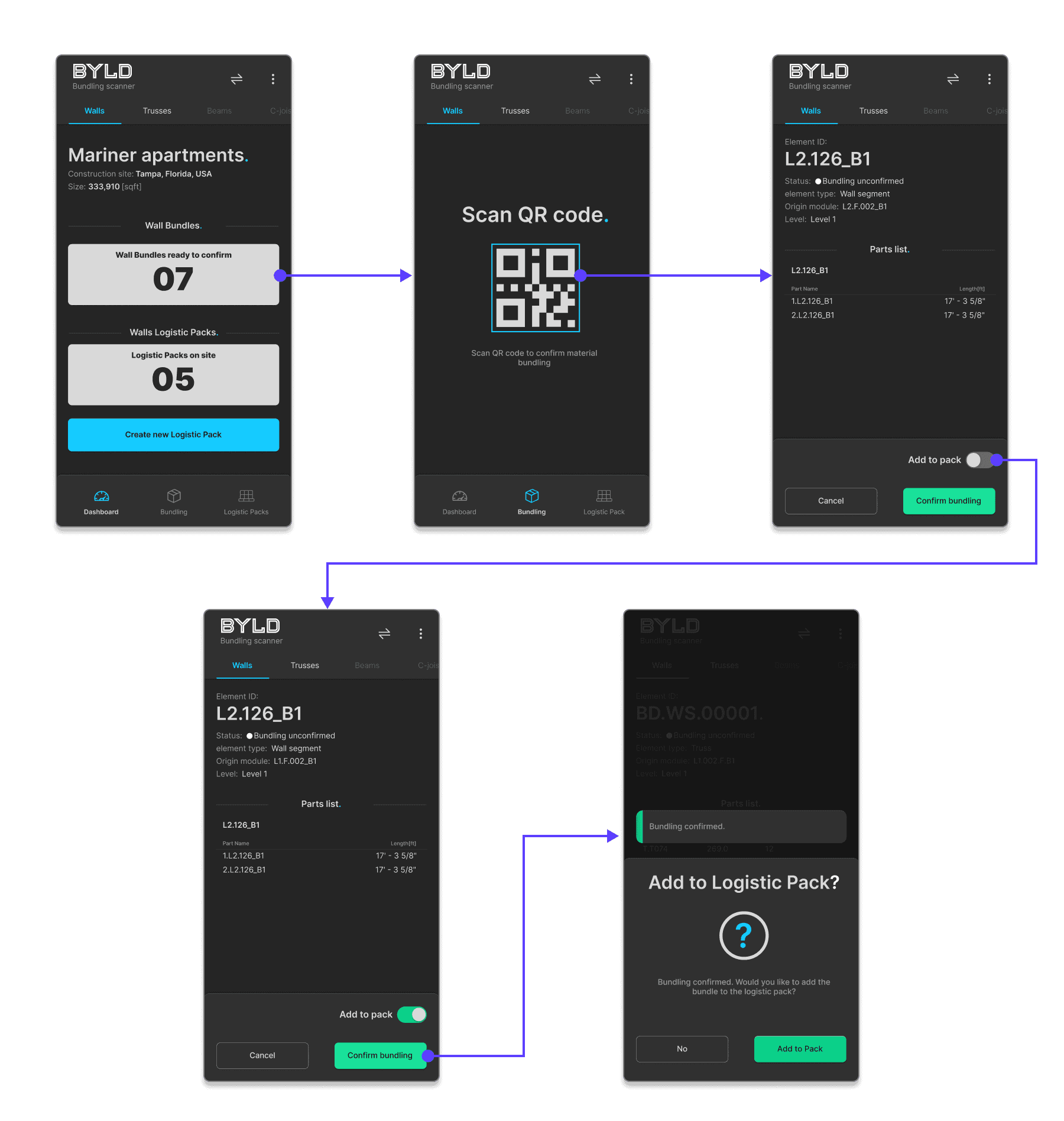
After confirming a bundle by scanning laser-engraved QR codes on manufactured parts, operators could immediately add it to a logistic pack, minimising context switching and repetitive actions.
Completenig Logistic Packs
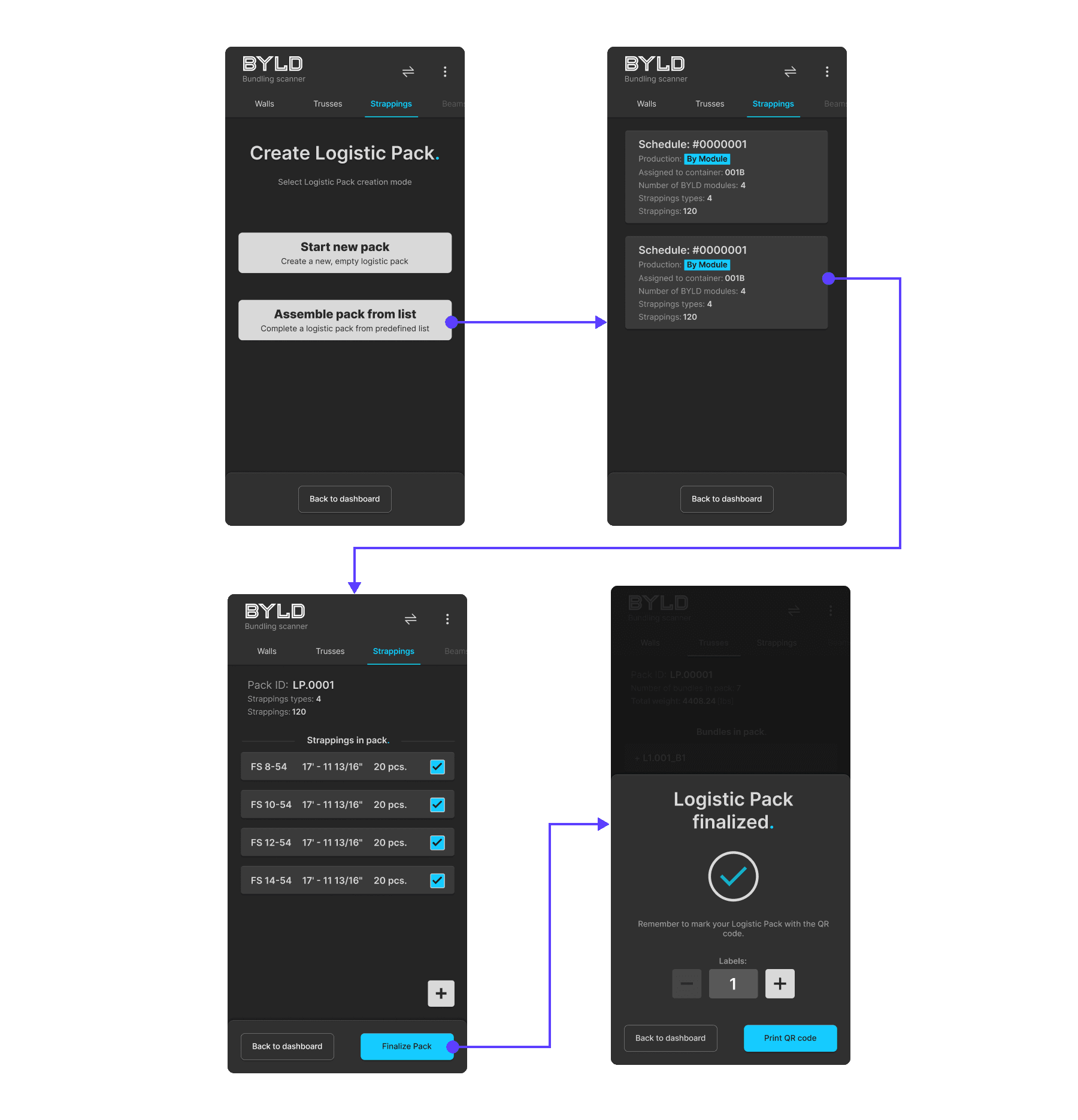
Users could choose between creating their own logistic pack or assembling a predefined one, depending on how structured the shipment needed to be, with the scanner operating as a connected touchpoint within the broader production management system.
Creating Transport
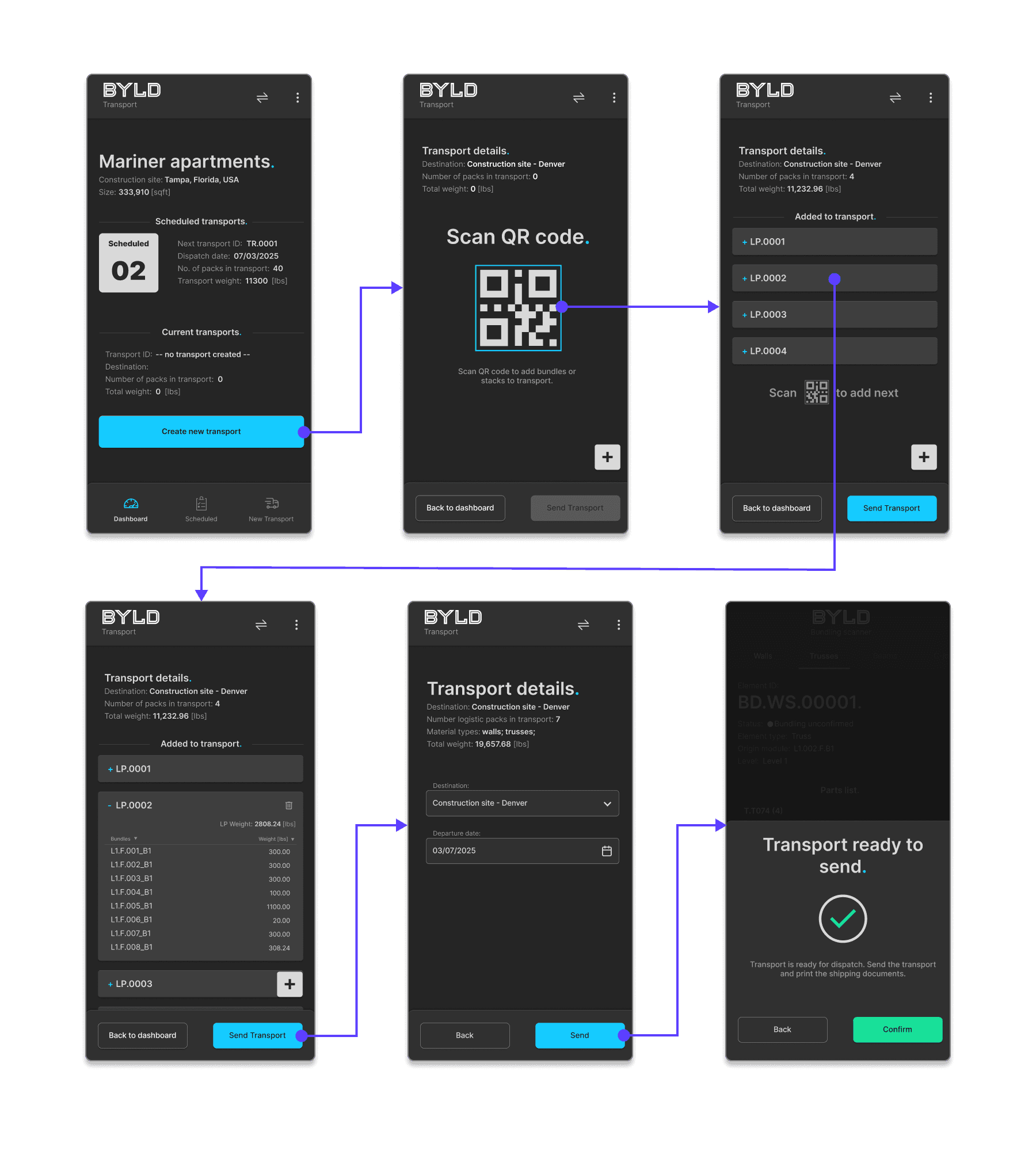
By scanning logistic pack QR codes, operators assembled transports directly in the field, while the system automatically built transport specifications and generated shipping documents.
Outcome
The redesigned approach aligned the system with real warehouse decision-making and unlocked greater flexibility across the entire logistics chain.
By shifting control closer to the warehouse floor and enabling real-time bundling and transport creation, the solution made it possible to:
Improve and significantly increase the flexibility of logistics operations
Optimise production flow by dynamically grouping manufactured elements based on actual output
Optimise transport planning through incremental, pallet-driven transport creation
As a result, the scanner application evolved from a rigid execution tool into a strategic operational layer, connecting production, warehousing, and logistics into a single, adaptable workflow — and creating a scalable foundation for external contractor rollout.